Clikiti for Figma · Clikiti Font Replacer & Restyle

Swap every font.Restyle the whole page. Text still readable.

A Figma plugin that replaces fonts across a frame, a page or the whole file with every weight kept, suggests the pair that suits your page, and gives it a new look or a dark mode with every text pair contrast-checked. Your original frame is never touched.

Coming to Figma Community
Free, no sign-in: font replacer, scan, Standard restyles and dark mode.
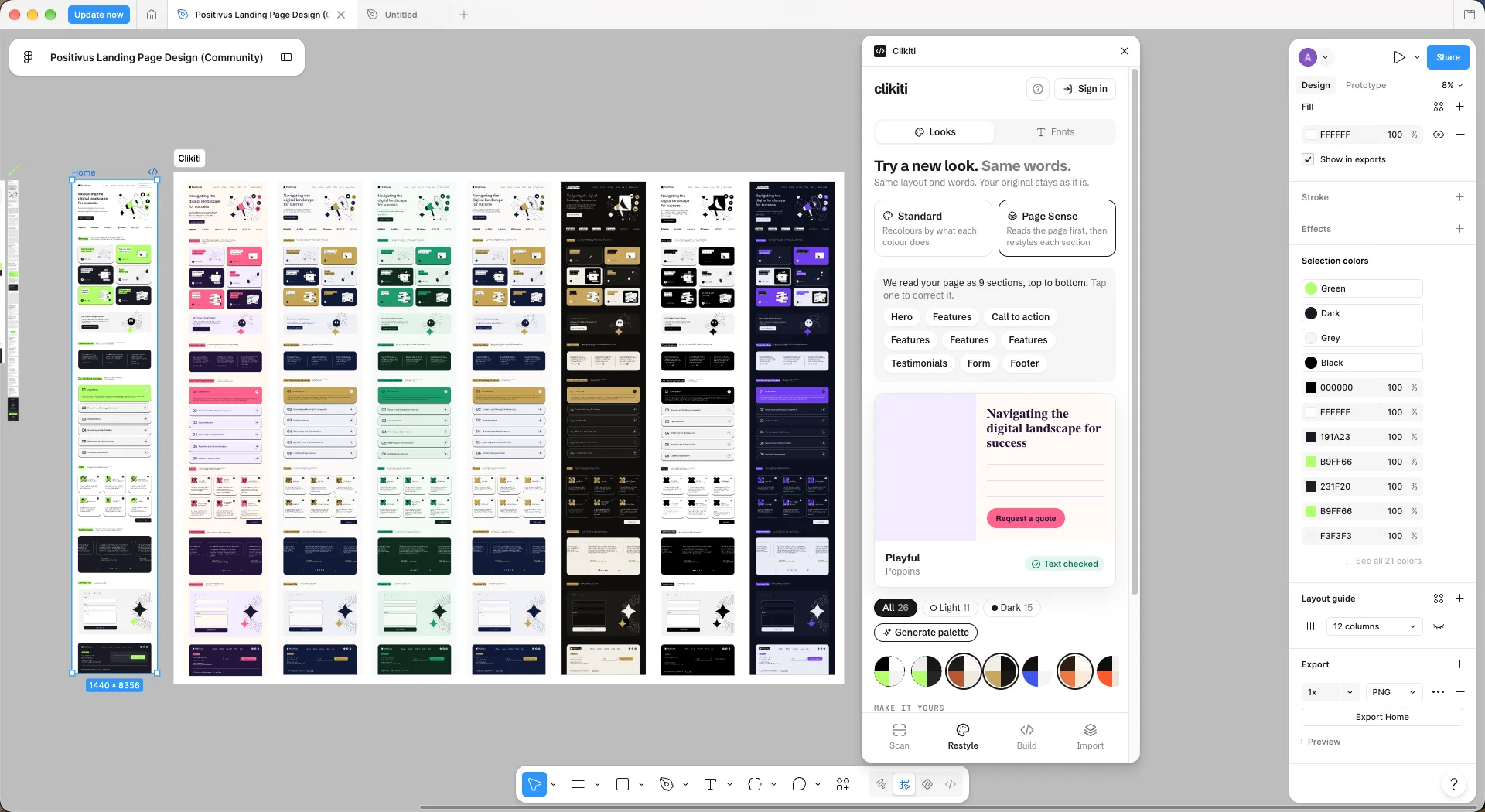
Figma with the Clikiti plugin open on the Positivus landing page: the original frame and seven restyles in a Clikiti section, and the Looks tab reading the page as 9 sections
The plugin in Figma on a free Community file: the original and seven looks, same words in each. Positivus is “Positivus Landing Page Design” by Olga (Figma Community, CC BY 4.0).
3scopes: frame, page or the whole file
26looks: 12 designed, 12 dark styles, your own colours and their dark mode
12dark styles, most of them not black
4.5:1every text pair, checked before the frame is made

See it work.Thirty-two seconds, in Figma.

Real plugin output on Positivus: four looks, one of them a mode of the same frame, then a font swap. Positivus is “Positivus Landing Page Design” by Olga (Figma Community, CC BY 4.0).
1. Font replacer

Every font, swapped.

Swap every font in a frame, a page or the whole file. Each weight maps to its nearest match, text styles update, and text that now takes more lines is flagged. Missing fonts are fixed in one go.

  • Regular to Regular, SemiBold to Semi Bold: no weight left as a missing font.
  • One font for everything, weights kept, in one tick.
  • Replace on a copy, or in place with Cmd+Z to undo.
  • Free, with no sign-in.
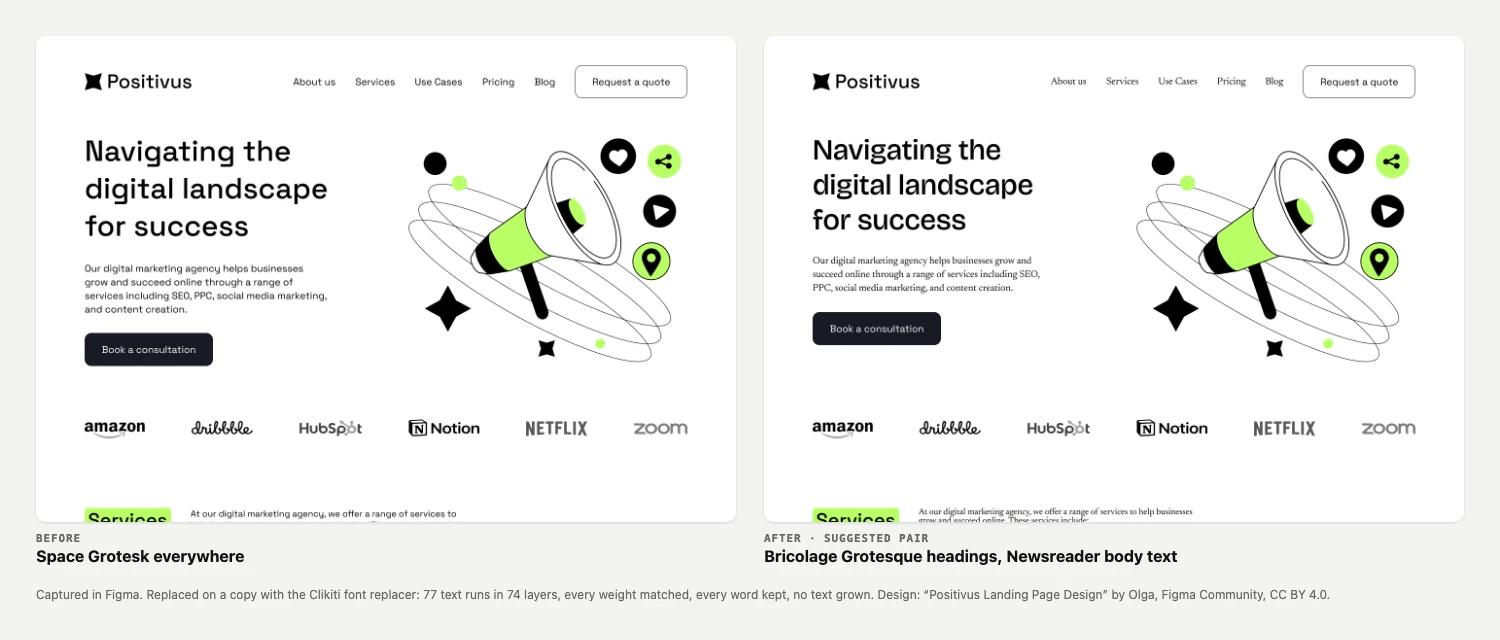
The Positivus page before and after a font swap: Space Grotesk everywhere, then Bricolage Grotesque headings with Newsreader body text, the same words and layout
On Positivus: Space Grotesk to Bricolage Grotesque and Newsreader. 77 text runs in 74 layers, every weight matched, every word kept, no text grown.
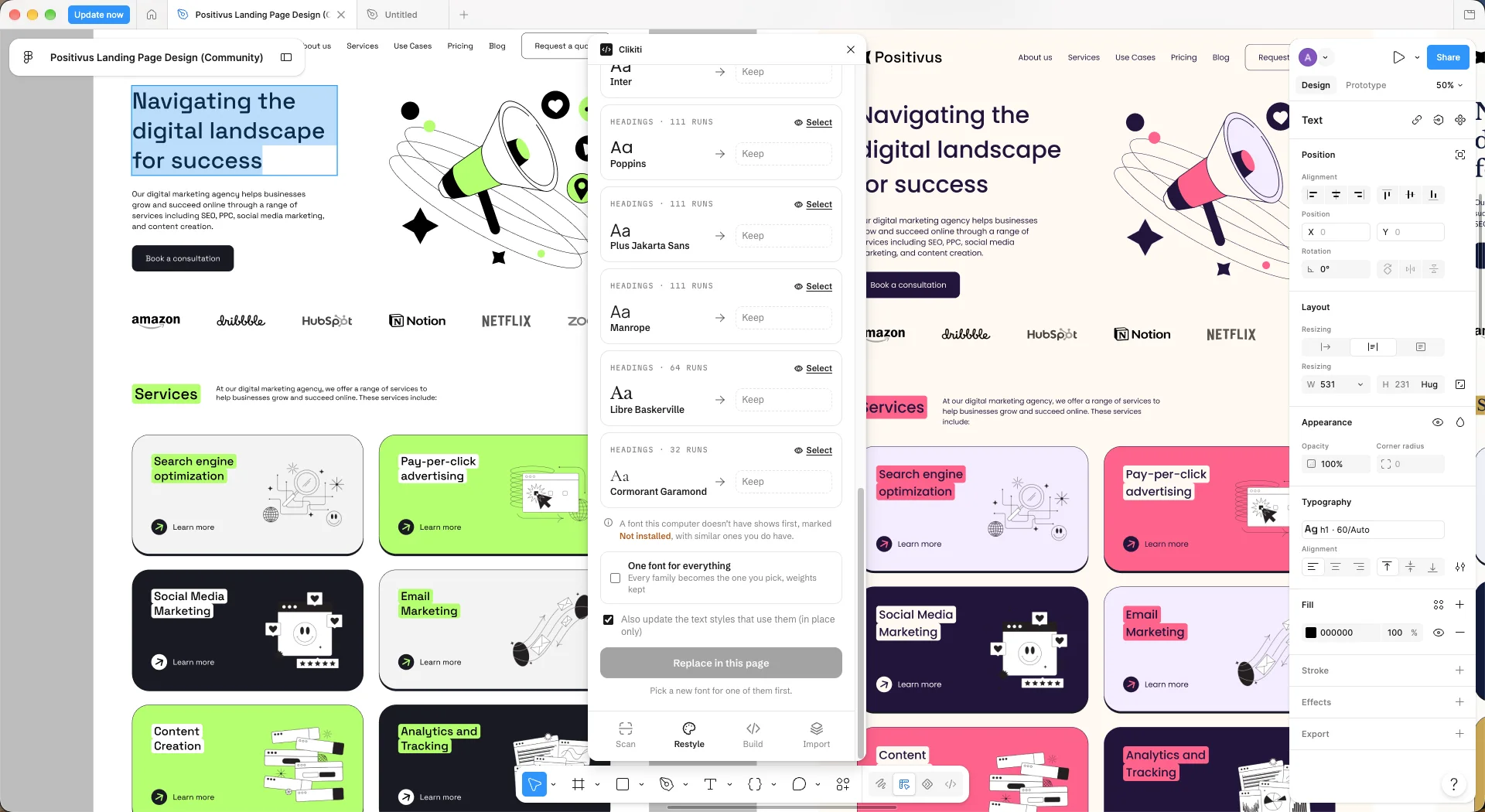
Figma with the Clikiti plugin on its Fonts tab over the Positivus page: each font family on the page with its runs (Inter, Poppins, Plus Jakarta Sans, Manrope, Libre Baskerville, Cormorant Garamond), each to keep or swap, One font for everything, and the option to update text styles too
The Fonts tab on Positivus: every family on the page, with its runs, to keep or swap. Text styles can update too.
2. Suggested font pairs

A pair for this page.

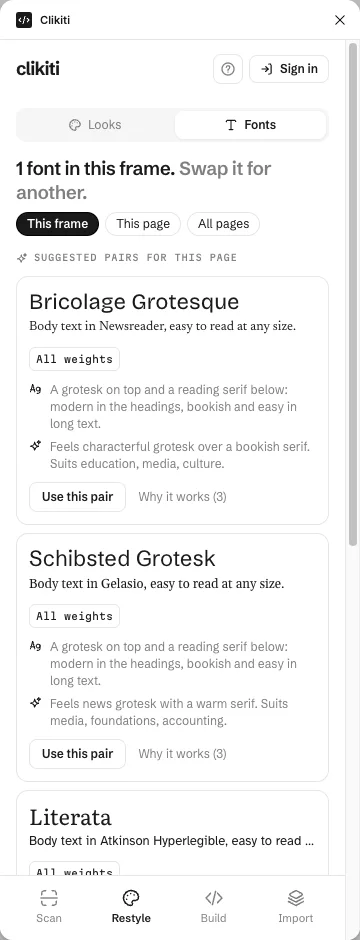
Pairs for your page from Clikiti’s curated pairs, each with the reasons it works: the contrast between them, the mood, and the weights you already use.

  • Keeps your body font when it reads well, and adds a heading face.
  • Says why: a grotesk on top, a reading serif below.
  • Says who it suits: education, media, culture.
Suggested pairs for the Positivus page: Bricolage Grotesque with Newsreader, Schibsted Grotesk with Gelasio, and Literata with Atkinson Hyperlegible, each with the reasons it works
3. Restyle

New look. Same words.

Twelve designed looks, or your own colours and fonts. Every colour gets a new one for the job it does, so text stays readable and the words never change. The original frame is never touched.

  • Text, logos and art are checked on the new ground before the frame is made.
  • Pick up to three looks and compare them side by side.
  • Or put them on one frame as variable modes and switch between them (5 free tries).
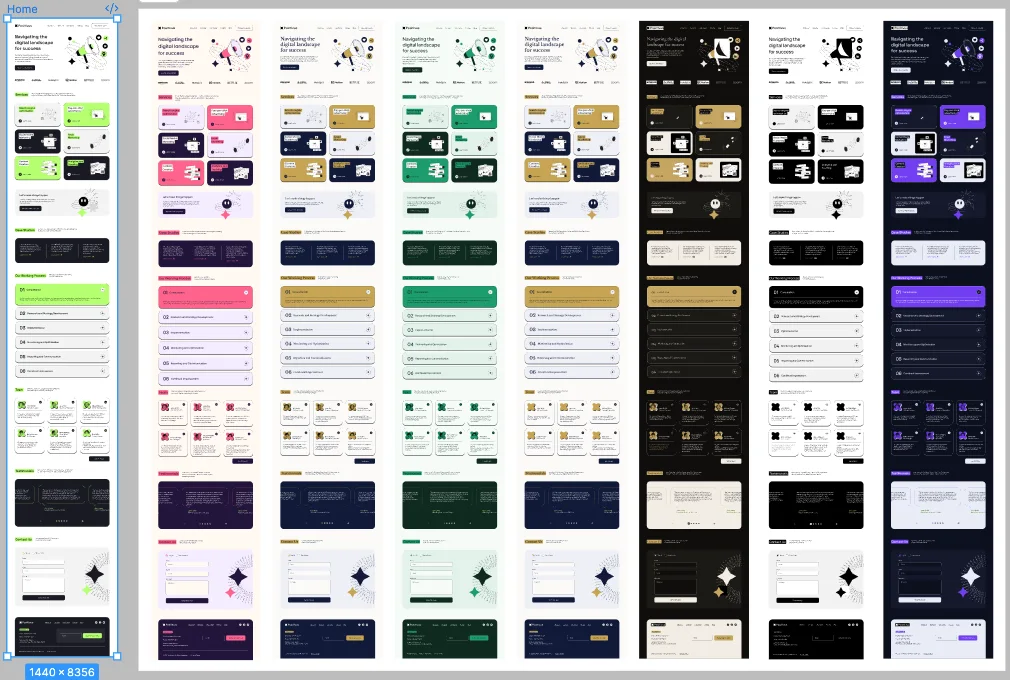
The Positivus landing page and seven restyles of it side by side: pink, gold, green, cream, black and gold, black and white, and navy with violet
One page, seven looks, made on copies. The original (left) is untouched.

One frame, every look.Switch it in Figma’s right panel.

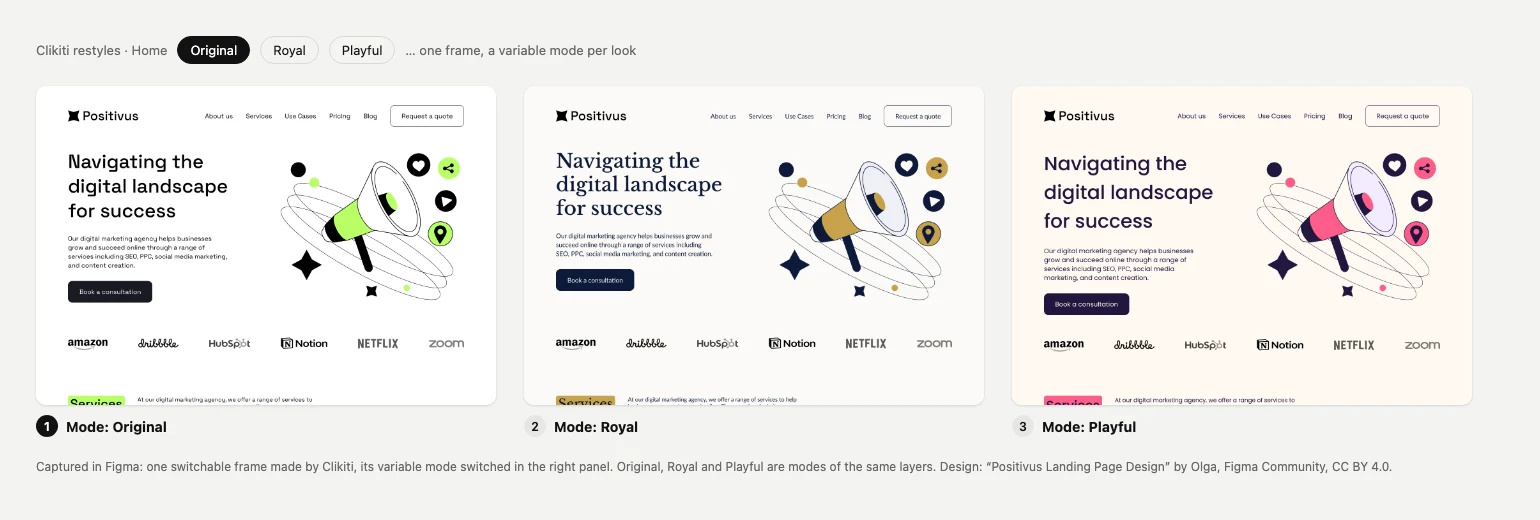
Put the looks you like on one frame as variable modes. The layers stay the same; only the mode changes, so you can compare in place and switch back in one click.

One switchable frame of the Positivus page shown in three variable modes: Original with lime, Royal with gold and navy serif headings, and Playful with pink

Your brand colour, or the look’s.One switch, on every look.

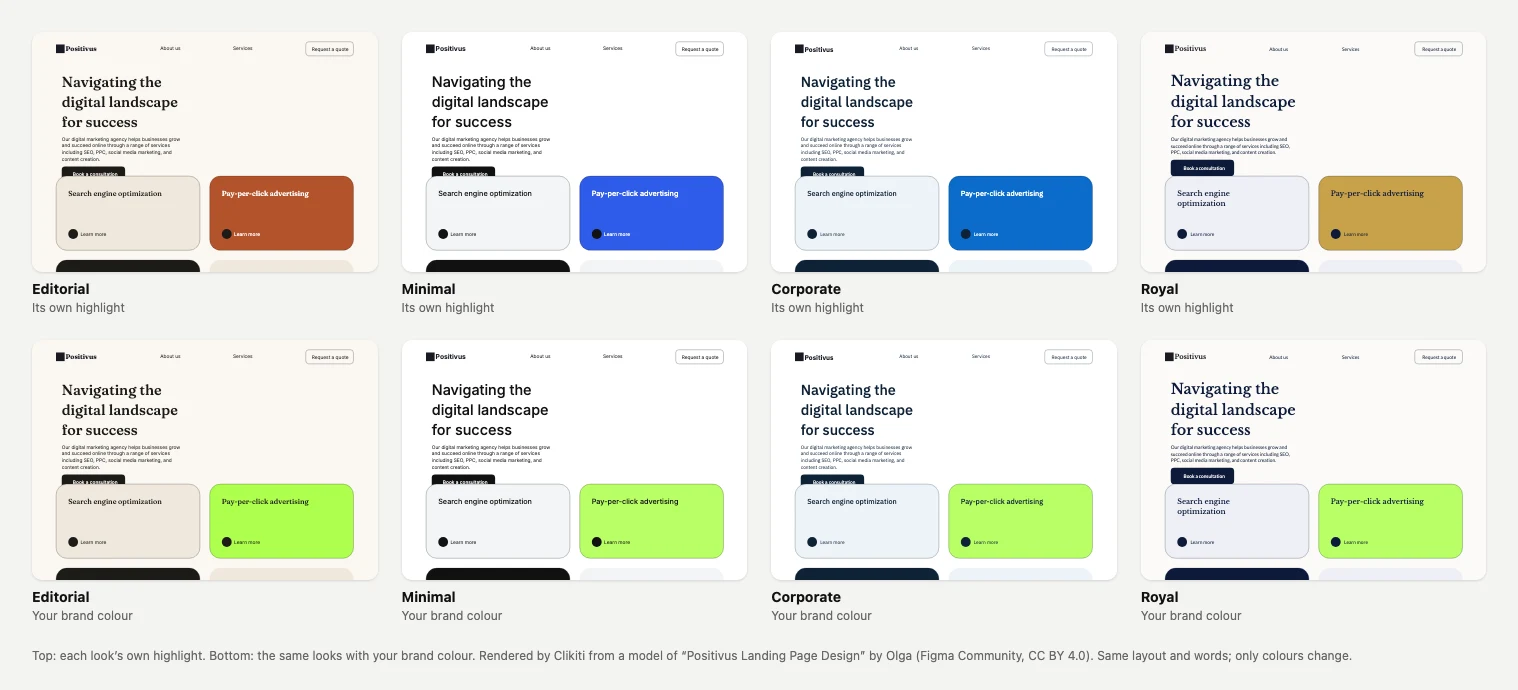
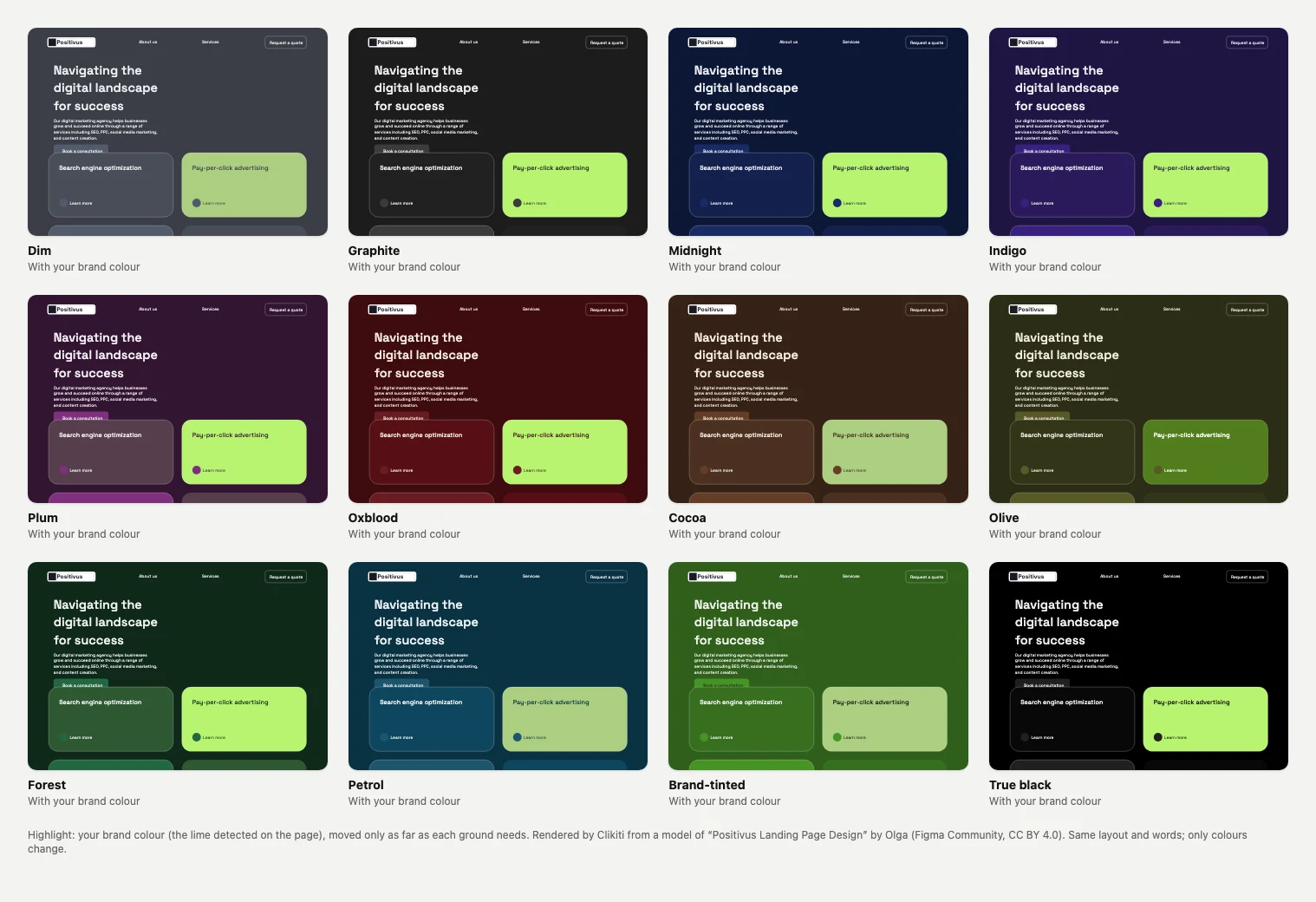
Each look brings its own highlight. Switch to your brand colour and every look keeps it, as bright as your page already uses it, with labels on it still readable.

Four looks on the Positivus page, Editorial, Minimal, Corporate and Royal: on top each with its own highlight (rust, blue, blue, gold), below the same looks with the page’s lime brand colour
4. Dark mode

Dark, and still readable.

A dark mode of your own page, from its own colours, or one of 12 dark styles, most of them not black. Cards sit a level lighter than the page, so the levels stay in order, and every text pair clears 4.5:1.

  • The hues are kept; the highlight moves only as far as it must.
  • Free, with no sign-in. A dark page gets a Light mode the same way.
  • Light and Dark as variable modes on one frame, one click back (switchable-frame tries).
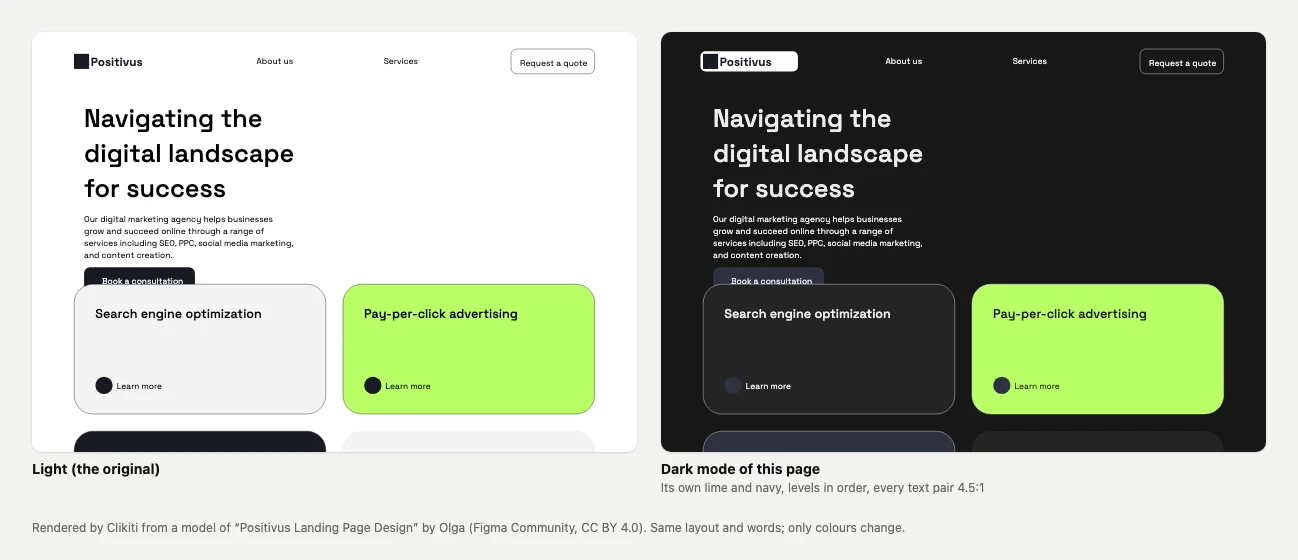
The Positivus page in its original light colours next to the dark mode the plugin made of it: dark grey ground, the same lime card and navy, white text
Light, the original, and Dark mode of this page. A render of the page made by the plugin’s colour engine.

Twelve dark styles.Spread round the colour wheel.

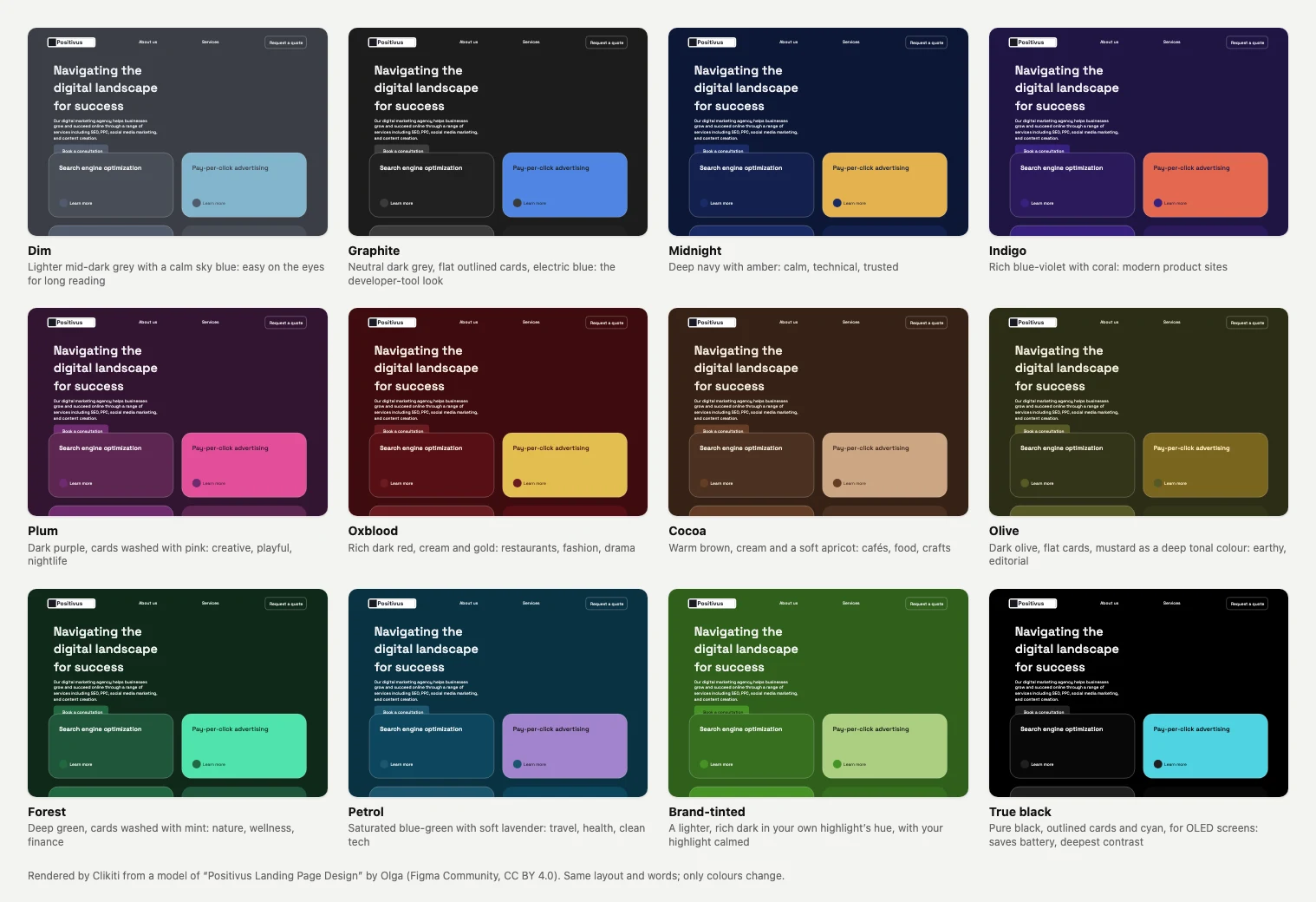
Dim, Graphite, Midnight, Indigo, Plum, Oxblood, Cocoa, Olive, Forest, Petrol, Brand-tinted, and True black for OLED screens. Each brings its own highlight: amber on navy, coral on indigo, mint on forest. Or keep your brand colour on all of them.

The Positivus page in each of the 12 dark styles, each with its own ground and highlight: Dim with sky blue, Graphite with electric blue, Midnight with amber, Indigo with coral, Plum with pink, Oxblood with gold, Cocoa with apricot, Olive with mustard, Forest with mint, Petrol with lavender, Brand-tinted in the page’s own green, and True black with cyan
5. Generate palette

A pair that passes.

A new light and dark palette from UI rules: one highlight hue, neutrals tinted toward it, cards a step from the page, and every text pair at 4.5:1 or more.

  • Made for the job each colour does, not picked from a wheel.
  • Comes as a light and dark pair, ready for variable modes.
  • Free, with no sign-in. Each press adds a new light and dark pair to the looks.
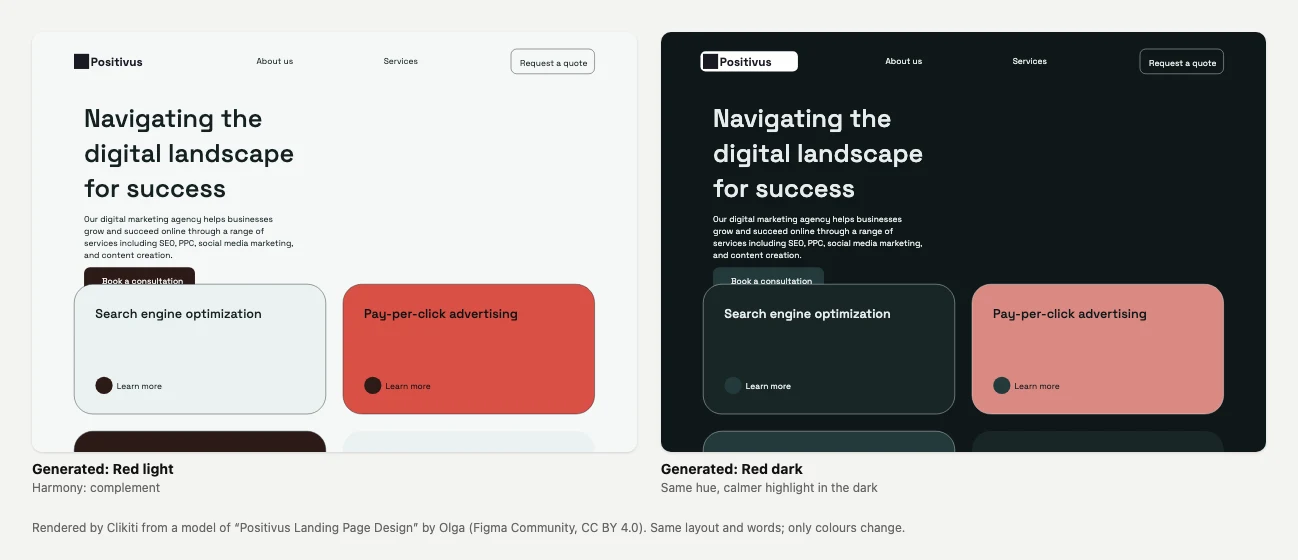
A generated palette on the Positivus page: a light version with a red highlight and a dark version with the same hue, calmer
A generated pair: red light, and red dark with a calmer highlight. Rendered by the plugin’s colour engine.
6. Page Sense

It reads the page first.

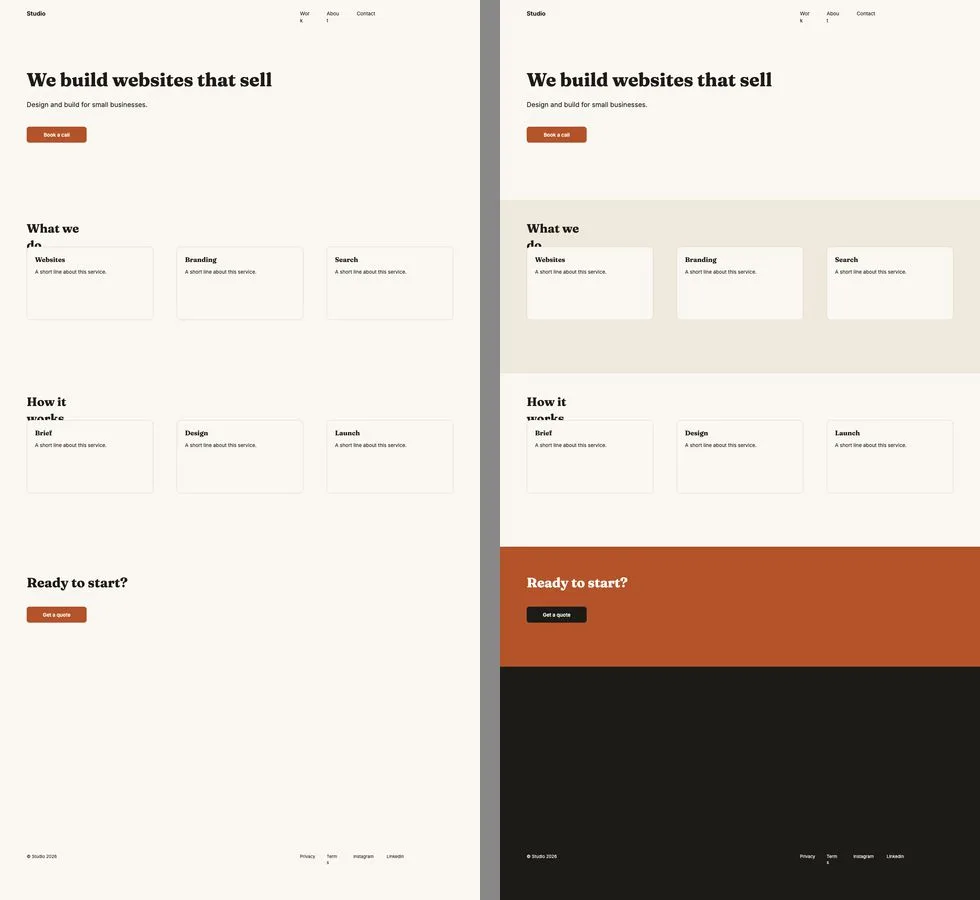
Page Sense finds the nav, hero, features, logos, testimonials, pricing, FAQ, form, call to action and footer, then restyles each section for its job: a band behind the services, a strong colour behind the call to action, a dark footer.

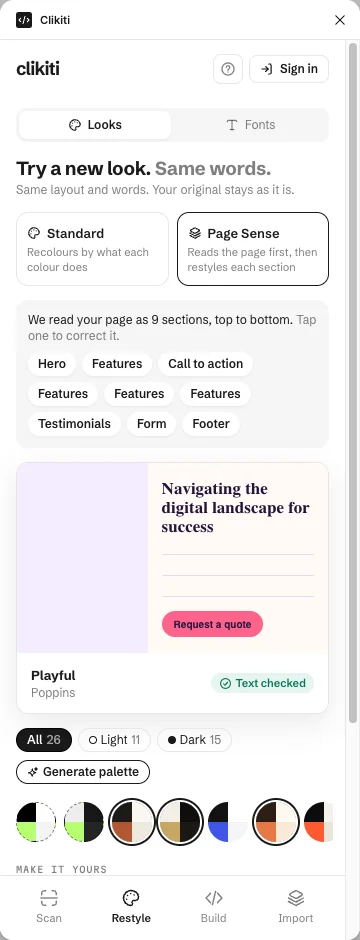
  • It read Positivus as 9 sections; tap one to correct it, and a dashed one is a guess.
  • Standard recolours by what each colour does; Page Sense by what each section does.
  • 5 free tries, then a free Clikiti account.
The same studio page restyled two ways: Standard on the left keeps one plain ground; Page Sense on the right adds a band behind the services, a coloured call to action and a dark footer
The Page Sense panel listing the 9 sections it read on Positivus: Hero, Features, Call to action, Testimonials, Form and Footer
Standard (left) and Page Sense (right), from the same page.
7. Scan

A score, and the fixes.

A quick design-quality check of the selected frame, the way a careful reviewer would read it: text people can read, a phone version, tap targets, type, placeholder words and how ready the layers are to hand off.

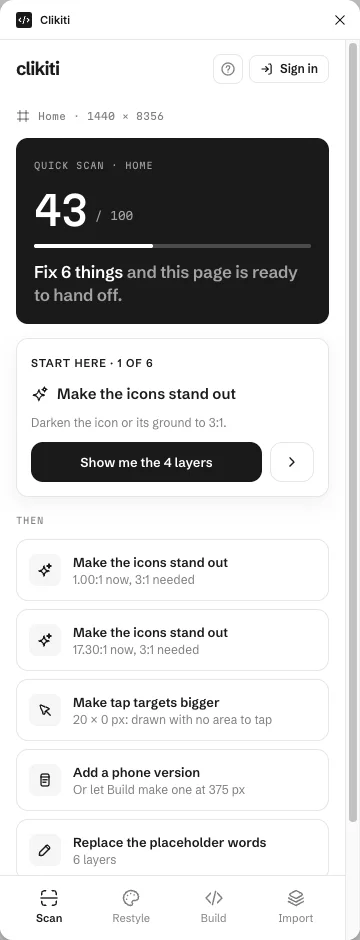
  • Each fix names the layers and the number: icons at 1.00:1 that need 3:1, a 20 × 0 px tap target.
  • Pin the findings as notes on the canvas.
  • Free, with no sign-in. Nothing leaves your computer.
  • A deep scan of the rendered page is coming, with a free account.
The Scan tab on the Positivus home frame: a quick scan scoring 43 out of 100 with 6 fixes, starting with icons to make stand out, then tap targets, a phone version and placeholder words
8. Build, with a Clikiti account

Your frame, as a website.

Build turns the frame into a real web page: headings, links, a form that sends, and a phone layout. It is checked before launch, lands in your Clikiti workspace next to your clients, and opens as a page or downloads as a ZIP.

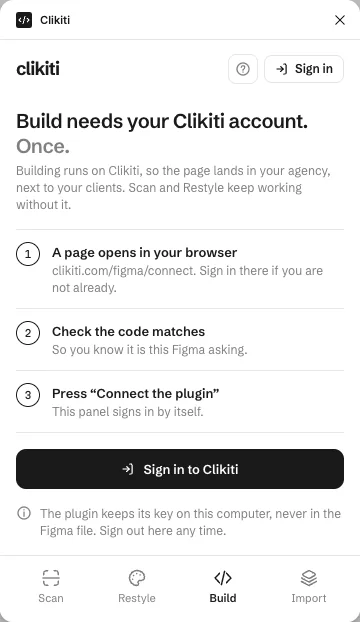
  • Sign in once; the plugin keeps its key on your computer.
  • Import brings a Clikiti page into Figma as editable layers, at 1440 px and 375 px.
  • Clikiti plans: Starter $49, Growth $129, Agency $349 a month.
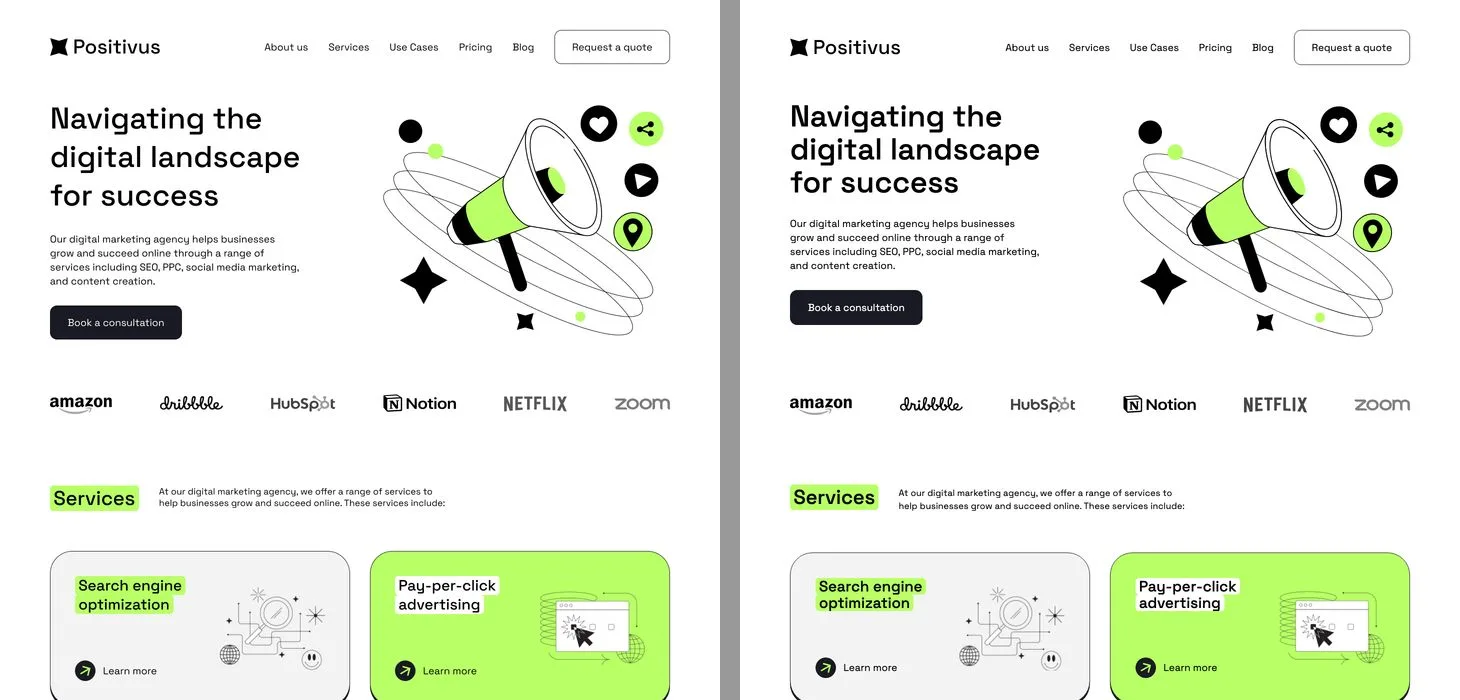
A landing page in Figma on the left and the web page Build made from it on the right, the two nearly identical
The Build tab asking to sign in to Clikiti once, in three steps
The Figma frame (left) and the page Build made from it (right).

We read the reviews.Then fixed what they complain about.

What designers say in the comments of the most-used font replacer and dark mode plugins, and what this one does instead.

Font replacers: the usual plugin and Clikiti
Font replacersThe usual pluginClikiti for Figma
Text stylesThe top ones do nothing on text that uses a style.Text styles are updated too, so new text follows.
WeightsMissing weights are left as missing fonts.Each weight goes to its nearest match in the new font.
Line breaksNot checked.Text that now takes more lines is flagged before you ship.
Font pairsReplace only, or pairs only, in another plugin.Pairs for this page, with the reasons each one works.
PayingLicence keys that stop working; a free try used up when nothing changed.No key to lose. A try counts only when it worked.
Dark mode: the usual plugin and Clikiti
Dark modeThe usual pluginClikiti for Figma
Readable textThe best-known one (135k users, not updated in 7 years) leaves text unreadable.Every text pair is checked to 4.5:1 before the frame is made.
ShadesEvery shade collapses into one black.Cards sit a level lighter than the page, so the levels stay in order.
UndoNo way back.A copy, or Light and Dark as variable modes on one frame. One click back.
Set-upThe switchers need a library or styles named Light and Dark first.No set-up: it works from your page’s own colours.

Free permanently, guaranteed.Everything in the first column. No sign-in, no card.

Free, no sign-in

$0

  • Font replacer: frame, page or whole file
  • The 12 designed looks, or your own colours and fonts
  • Dark mode of your page, and the 12 dark styles
  • Generate palette
  • Quick scan, with fixes pinned on the canvas

Free permanently, guaranteed. It runs on your computer and sends nothing anywhere.

5 free tries each

Then a free account

  • Page Sense: restyle each section for its job
  • Suggested font pairs for your page
  • Switchable frames: looks, or light and dark, as variable modes on one frame

A try counts only when it changed something. A free Clikiti account removes the limit.

Clikiti account and plans

From $49 a month

  • Build: the frame becomes a real website, checked before launch, with Open page and Download ZIP
  • Import a Clikiti page into Figma as layers, at 1440 px and 375 px
  • Deep scan of the rendered page (coming)

Sign in once; the plugin keeps its key on your computer. Import from a downloaded page file needs no account.

  • Starter$49/month
  • Growth$129/month
  • Agency$349/month

The plans are for agencies and freelancers who pitch and build websites: 15 to 150 redesign pitches a month. Compare the plans.

Questions

Is the font replacer free?

Yes, permanently and guaranteed, without signing in. Swap fonts in a frame, a page or the whole file, keep every weight, update text styles and fix missing fonts in one go.

How do I replace every font in a Figma file?

Open the plugin, go to Restyle and then Fonts, pick All pages and choose the new font for each family, or tick One font for everything. Each weight maps to its nearest match, and text that now takes more lines is flagged.

Can it make a dark mode of my Figma design?

Yes. It makes a dark version of your own page from its colours, or one of 12 dark styles, most of them not black. Every text pair is checked to 4.5:1, and it is free with no sign-in. Light and Dark can also sit as variable modes on one frame, so you can switch back; that uses the switchable-frames tries.

Does it change my original frame?

No. Restyles and dark modes are made on a copy. Only Replace in this frame edits in place, when you press it, and Cmd+Z undoes it.

What does a free try count?

Page Sense, suggested pairs and switchable frames have 5 free tries each. A try is counted only when it changed something. After that, a free Clikiti account removes the limit.

When is it on Figma Community?

Soon. Leave your email on this page and we write once, the day it is published.

Credits: the pictures of the plugin at work use a free Figma Community file. Positivus is “Positivus Landing Page Design” by Olga (Figma Community, CC BY 4.0). The dark mode, dark styles and palette pictures are renders of that page by the plugin.
Coming to Figma Community

Get it first.

One email, the day it is published. Then install it from Figma Community and swap your first fonts in seconds.

Already pitching websites? Explore the Clikiti app or scan a site for free.